#1 Top outlier
Rare chimpanzee tool use caught in the wild
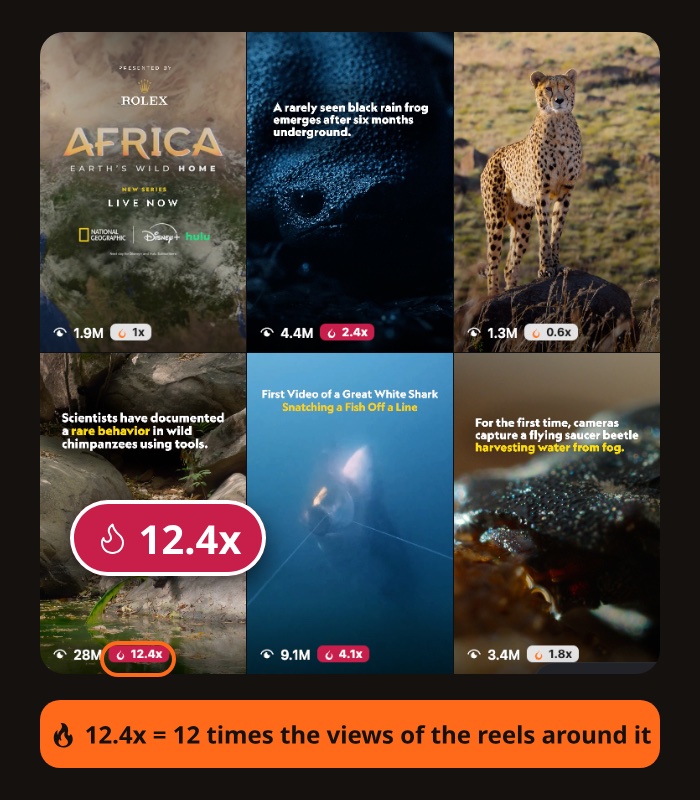
28M 12.4x
Sort any public Instagram or TikTok profile by views, likes, comments, engagement or shares. Every post gets a score like 12.4x so the biggest hits jump right out.
On your phone? SortBuddy runs on desktop Chrome.

Rare chimpanzee tool use caught in the wild
Great white snatches a fish right off a line
Black rain frog emerges after six months underground
Desert beetle harvesting drinking water from fog
New series trailer: dawn across the savanna
Cheetah scanning the ridge at sunrise
500K views is slow for a 5M-follower account, but huge for a 20K one. And if an account grew fast, its newest posts can have more views than the older hits that made it take off.
SortBuddy scores every post against the ones next to it. A 12.4x means 12 times more views than the posts right around it. Anything 2x or higher lights up as you scroll.
Everything runs inside Instagram and TikTok on desktop Chrome, without leaving the profile you are studying.
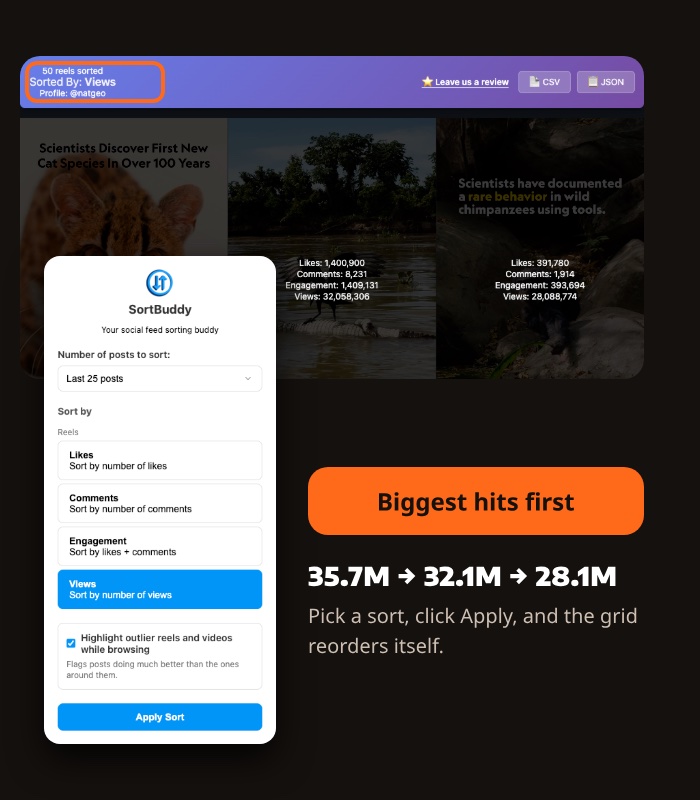
Open any public profile on desktop Chrome, click the SortBuddy icon and pick how many posts to check (the latest 25, 50, 100, 200 or all). SortBuddy scrolls through the grid and reorders it automatically.
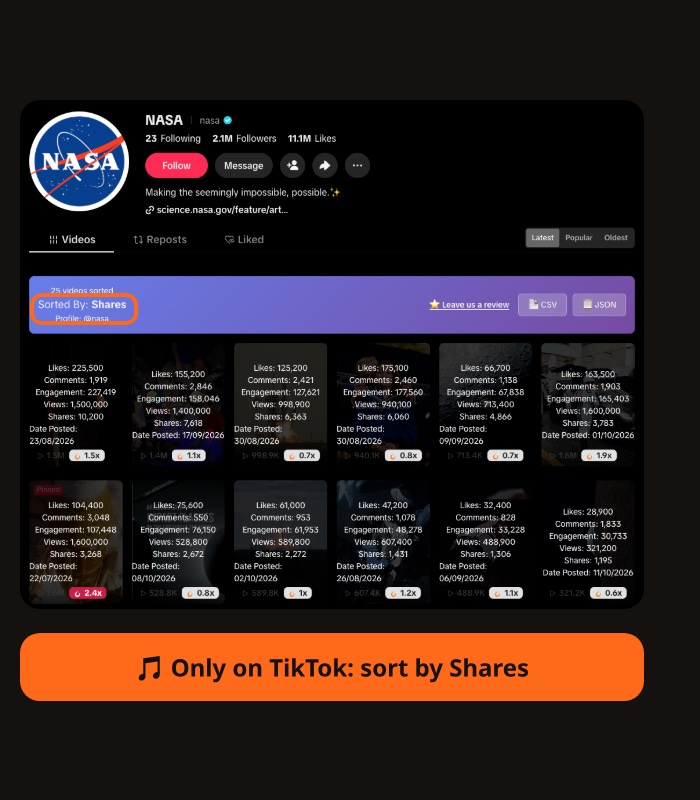
Views tell you what got pushed. Shares tell you what people actually sent to friends. Open any TikTok creator's Videos tab and sort by shares, views, likes, comments or engagement.
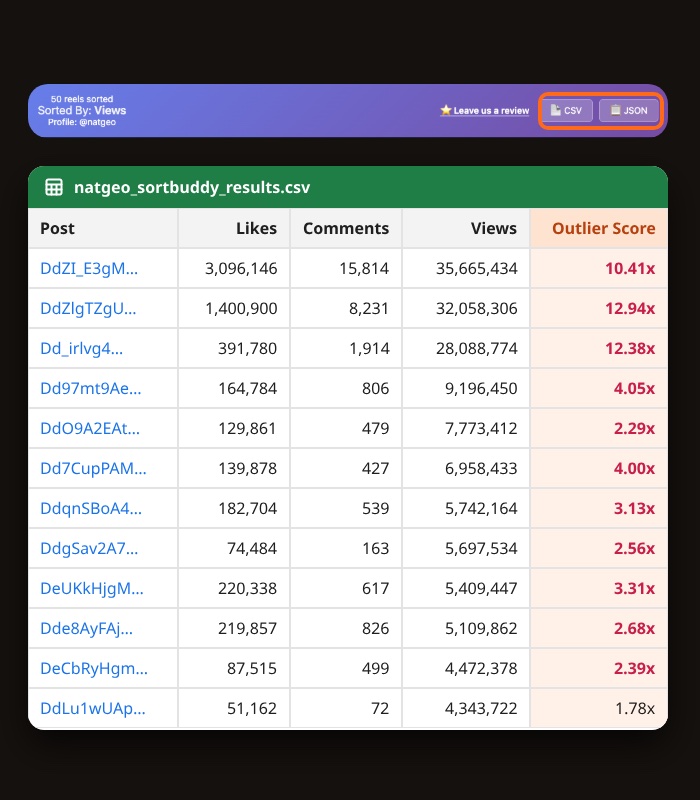
Click CSV or JSON above any sorted grid to save the numbers for Google Sheets, Excel or your own notes.
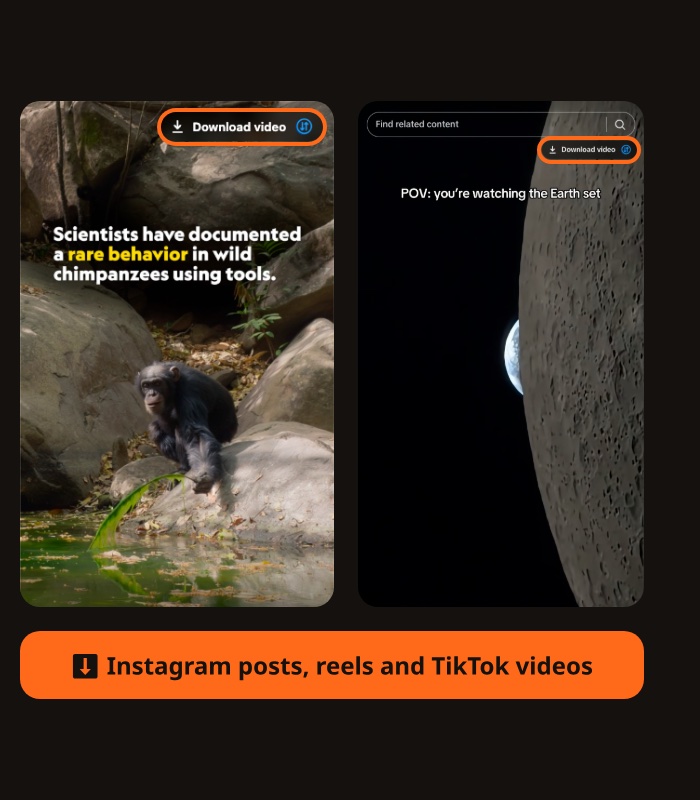
A Download button appears on any open Instagram post, reel or TikTok video so you can save the video, photo or every slide of a carousel straight to your computer.
Everything runs in your browser. No tracking and no analytics.
No account or password needed. Just install and start sorting.
Never posts, likes, follows or messages anything for you.
A simple way for creators, marketers and small businesses to find winning content ideas.
Visit any public Instagram profile or TikTok creator on desktop Chrome. Outlier scores show up automatically as you scroll.
Look for highlighted badges: posts getting 2x, 5x or 20x more views than the ones right around them.
Click the SortBuddy icon, pick how many posts to check (25 to all) and sort the grid by views, likes, comments, engagement or shares.
See which topics and formats took off, download any open video or photo, or export the list to CSV or JSON.
Desktop Chrome support across public Instagram profiles and TikTok creators.
| Profile tab | Sort metrics | Outlier score | Export and save |
|---|---|---|---|
| Instagram Reels | Views, likes, comments, engagement | Views (2x+ highlighted) | CSV / JSON export, download video |
| Instagram Posts | Likes, comments, engagement | Likes + comments (2x+ highlighted) | CSV / JSON export, download photos and every carousel slide |
| TikTok Videos | Views, likes, comments, engagement, shares | Views (2x+ highlighted) | CSV / JSON export, download video |
Walkthroughs for Instagram and TikTok, plus honest comparisons of the tools.
On your phone and on desktop, for any public profile.
Read guideFind the reels that made an account grow, not just its latest ones.
Read guideAny creator's videos by views, likes, comments or shares.
Read guideInstagram can't do it. Here's how, free.
Read guideThe reels that beat the account's other reels, and how to use them.
Read guideFree and paid options compared, with prices.
Read guideWhat the free plan covers and what to use instead.
Read guideEverything about pricing, privacy, desktop Chrome support and how SortBuddy compares with Instagram's built-in sort.
Add to Chrome — it's freeYes. Every feature is free with no sign-up and no limits on how many profiles you sort.
No. There is no SortBuddy account and we never ask for your password. It just works on the Instagram or TikTok tab you already have open in Chrome.
Yes, for any public profile (or any private account you already follow). Open their Reels tab on desktop Chrome, click the SortBuddy icon, pick Views and click Apply Sort.
Instagram's mobile app is rolling out a 'Most viewed' option on the Reels tab, but it isn't on every account and isn't on desktop. SortBuddy works on desktop Chrome, sorts by likes, comments and engagement too, shows outlier scores, exports to CSV or JSON and works on TikTok.
No. SortBuddy is a Chrome extension, so it runs on desktop Chrome (Windows, Mac, Linux, ChromeOS).
Yes. Everything runs right in your browser, and SortBuddy never posts, likes, follows or messages anything for you.